Run AI Locally - it works!
 By: Ran Banker
🧗 The Challenge
Local models keep getting better, more and more optimization tools arise, closed weight models prices seem to rise. Is there a sweet spot?
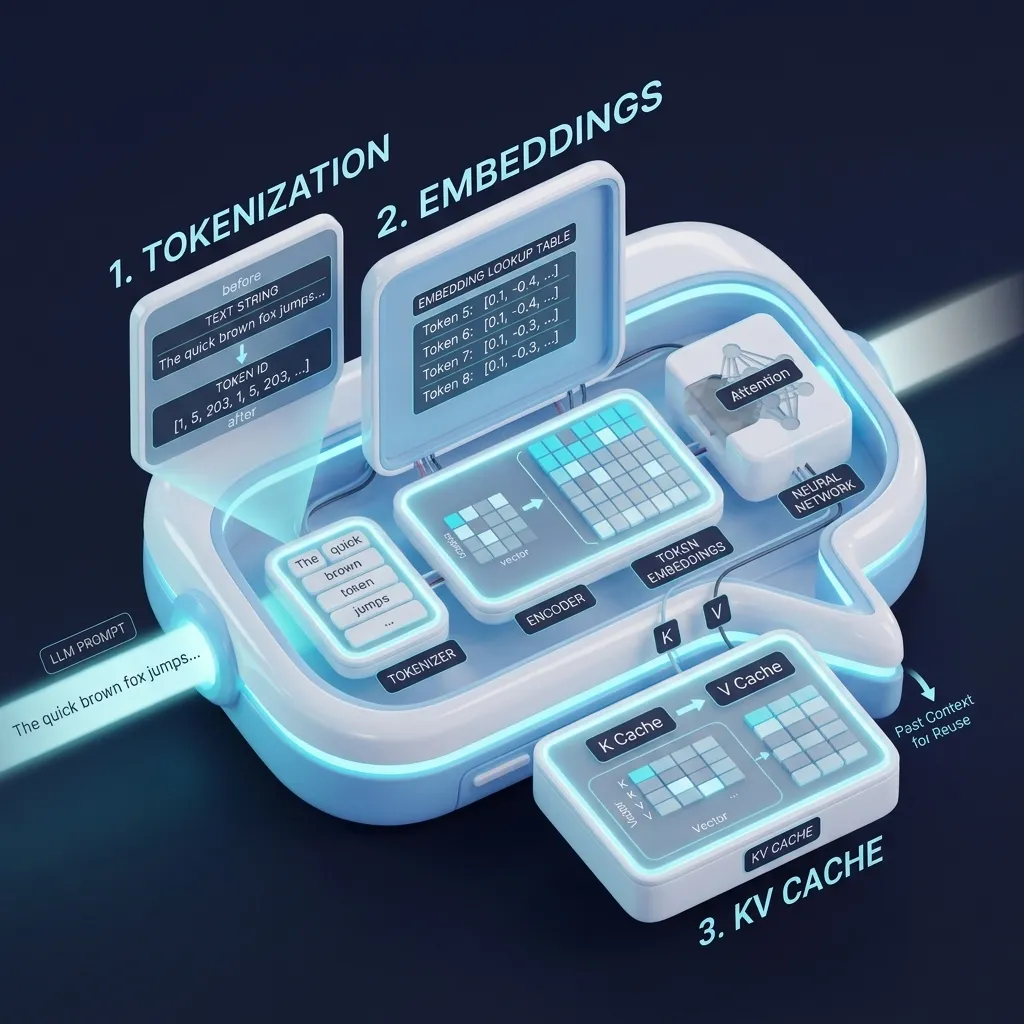
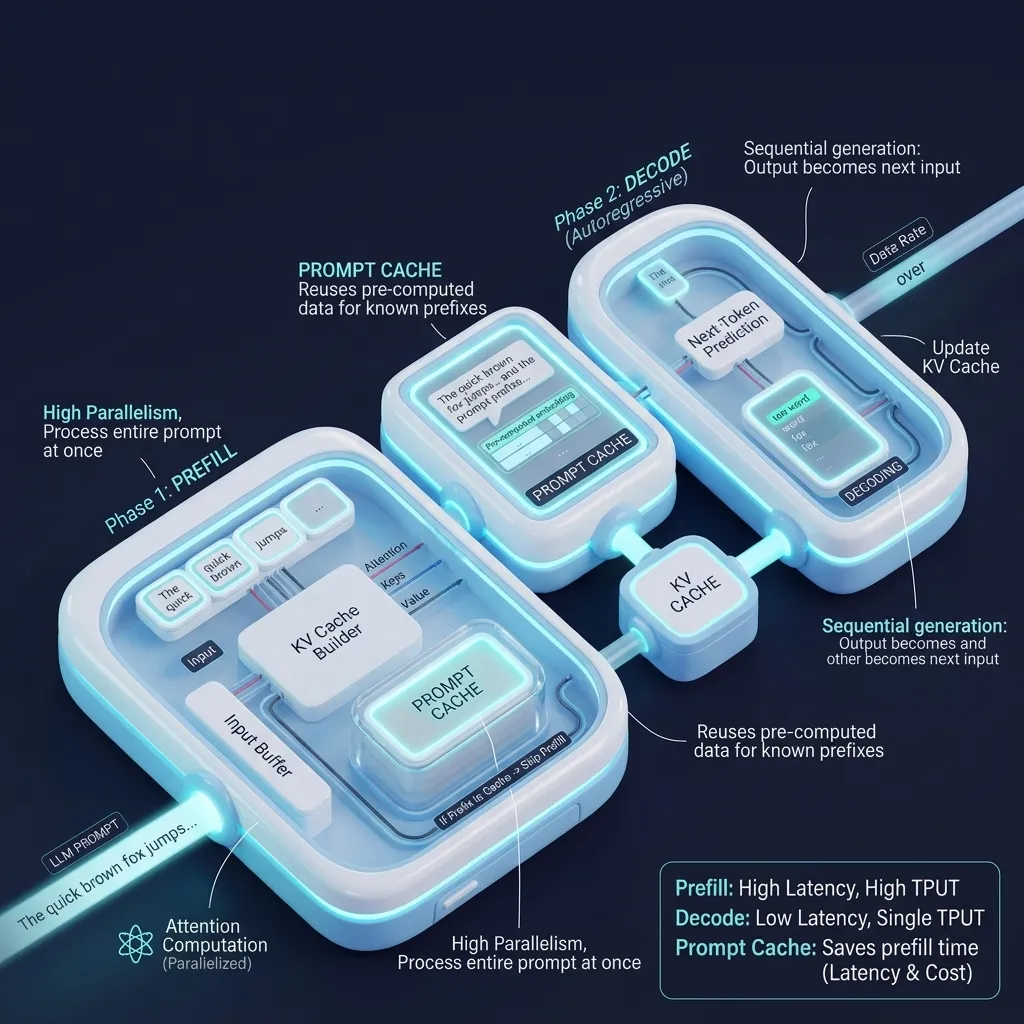
For a deeper dive into the low-level GPU math, attention layers, and memory mechanics that power local inference engines, check out our companion guide: LLM Inference Under the Hood: Tokenization, KV Cache, and Prompt Caching.
💡 What's cool?
There are many tools that help you run models locally. Your local coding agent will help, I hope to save you time, cover several techniques that worked for me.
⚠️ Disclaimer & Scope
There are no magic tricks, you need: Memory and compute. I’ve experimented with a new Mac Mini M4 32 GB with about $1,300 investment. It is not cheap but not as expensive as other options. For me, the investment also supports additional use cases, but the ability to run local model was a key requirement. While I am using a specific HW, I believe there is value in sharing the SW options and pitfalls I’ve also encountered. Many other HW and SW options are of course valid.
🎯 The Solution
Listed below are several tools and concepts important in my opinion to know about:
All 3 tools are based on llama.cpp. Using llama.cpp directly provides the most flexibility, but also may require you to build certain features yourself.
Ollama’s lazy loading model feature:
- You can defined the TTL setting to evict as part of the arguments you run llama.cpp with, and you can relatively easily create your own daemon service to listen when the LLM is called
Ollama prompt caching:
- I am relying on the agent harness e.g. I am using now Hermes.
- There are additional tools like headroom that provide prompt caching (local and remote) that I have tried (it runs as a proxy). I am still waiting to see the benefit as it does not cache the initial prefill. There are other tools that also implement prompt cache optimizations.
Selecting the right local LLM:
- Get to know Hugging Face, how to find the right models, look at their context (You can also use LMStudio to find and download the models, it uses HF).
- Select the right optimization: select models built for your HW, select the right Quantization to optimize the model size to your available VRAM.
- Consider the model size (architecture and weights) and the KV CACHE requirement needed that also consumes your VRAM.
- Check your harness requirements e.g. Hermes latest versions requires 64K token input context, you should not hack through such requirements; manipulating the real model context window will be counter-productive - your prompt will be cut and you will not get a consistent result.
Tool support:
I failed many times having my Hermes agent to work with my local model:
- There is a communication JSON/XML jargon to inject the system prompt and tools usage to the LLM model that must be implemented correctly.
- Start simple with 1 tool and then add more, until you verify the LLM integration works.
- Consider the prefill time to build based on the sent context length.
- Another tip: originally I tried manually to change arguments and check it works. It consumed a lot of my time. You have an agent loop, let it do its own auto-research to optimize for you, but you will have to guide it.
Context optimization:
Define different agent profiles, each with its own tools and role to optimize jobs being sent to the local model.
Building from source:
- Not as hard as compiling C++ in the past, using your coding agent and shortly you have the project compiled and running with your HW acceleration flags.
Several mac mini tips:
- You can buy a cheaper SSD Storage (voiding your warranty), install it yourself, and get more storage for less money, see this video for more details (I did not try yet).
- I cleaned up old PCs and extracted their SATA drive, with a cheap adapter and can use them as external SSDs. Works well for me to offload the internal limited storage on my mac mini, more details: here
- Mind the models’ location your LLM facade is using, keep only the models you actively using and move the rest to your external SSD.
📊 Conclusion & Insights
Local models get better and smarter. For the better models we still need stronger and more expensive HW (for now). Optimizing how we use it is key to get the best value for our money. In his post Andrej Karpathy describes the balance between the larger and smaller models looking forward.
⏭️ Suggested Next Steps
Before setting up your local models, run them remotely from the cloud like AWS Bedrock or OpenRouter or any other alternative cloud provider to test the usage first with your agent harness, for the same use case, to make sure what is the setup and use case running a local model is worth your investment.
🙏 Acknowledgments
I want to express my gratitude to the open-source community and the incredible tools that make local AI inference possible. In this post, we referenced:
- Ollama: For making local LLM deployment seamless and providing easy lazy loading.
- LMStudio: For a great GUI to discover and run local models on any hardware.
- llama.cpp: The powerhouse C/C++ inference engine driving most local tools.
- Hugging Face: The ultimate repository for models, datasets, and open weights.
- Hermes: The robust AI model and agent harness running the logic behind the scenes.
- AWS Bedrock & OpenRouter: For robust cloud fallback testing and baseline API performance.
- Andrej Karpathy’s autoresearch: For the inspiration behind autonomous code-loop research agents.
- Understanding LLM Inference: For explaining the prefill and decoding phases of LLMs.
- Model Quantization: For the detailed breakdown of how quantization optimizes model sizes.
- KV Caching Unveiled: For the excellent explanation of KV caching in transformer models.
Get new posts straight to your Gmail.

💬 Join the Conversation
Have thoughts or questions on this article? Jump over to Medium to leave your comments and responses!